Third-party costs: eSimScan integrates with external services
such as OpenAI, DeepSeek, and
Stripe (and other providers you configure). Those services bill
you directly based on your usage and pricing; those fees are
not included in the CodeCanyon purchase price. You must supply
your own accounts, API keys, and budgets for any third-party APIs or payment
processors you enable.
eSimScan – AI-Powered eSIM & Data Plan Marketplace Script | PHP React
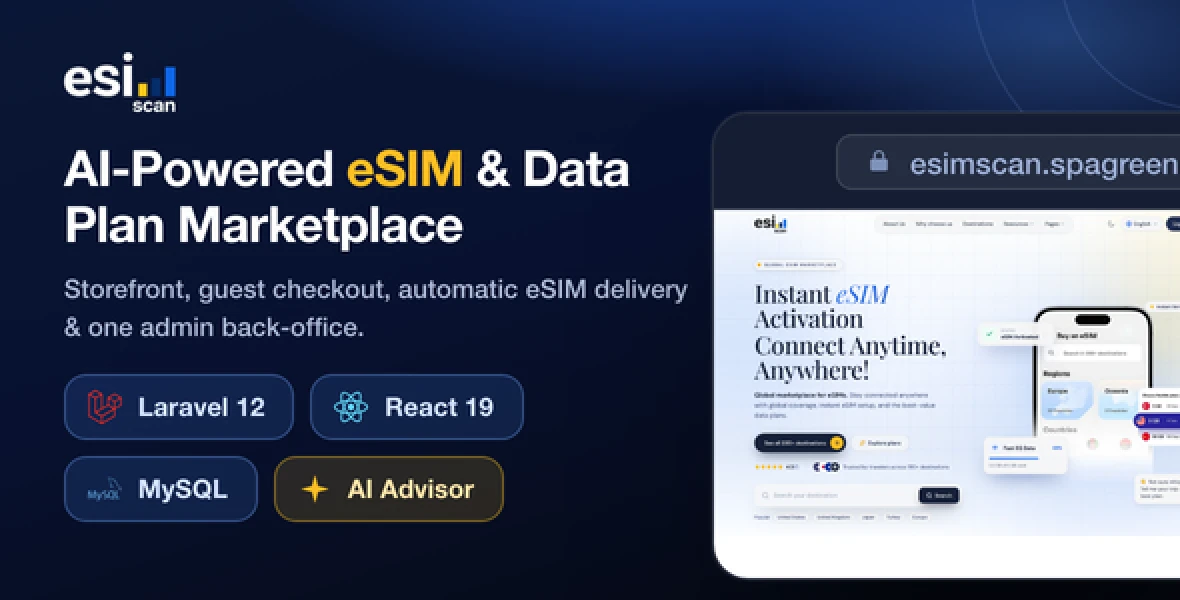
esimScan is a production-ready application for selling eSIMs online. Run a
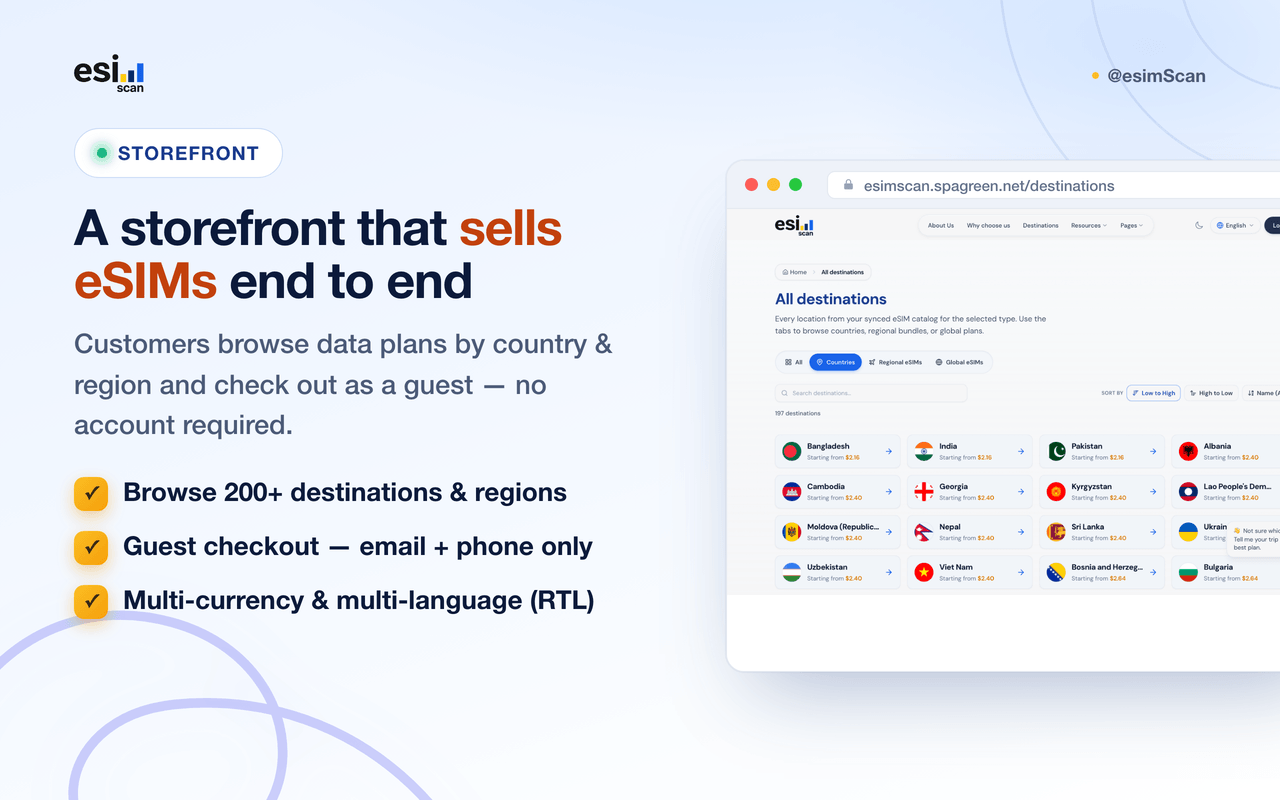
complete travel-data store end to end: a public storefront where customers
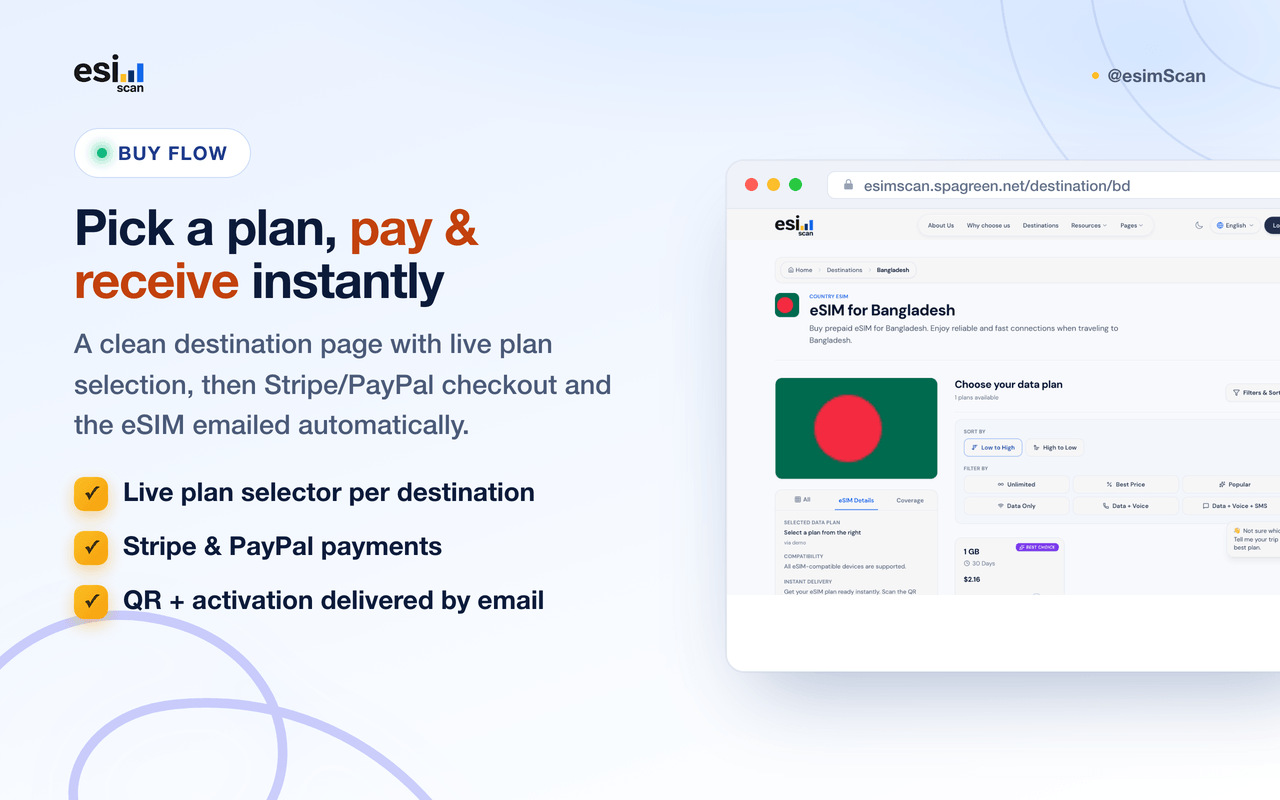
browse data plans by country and region, guest checkout with Stripe and PayPal,
automatic eSIM delivery by email (QR code + activation details), and a single
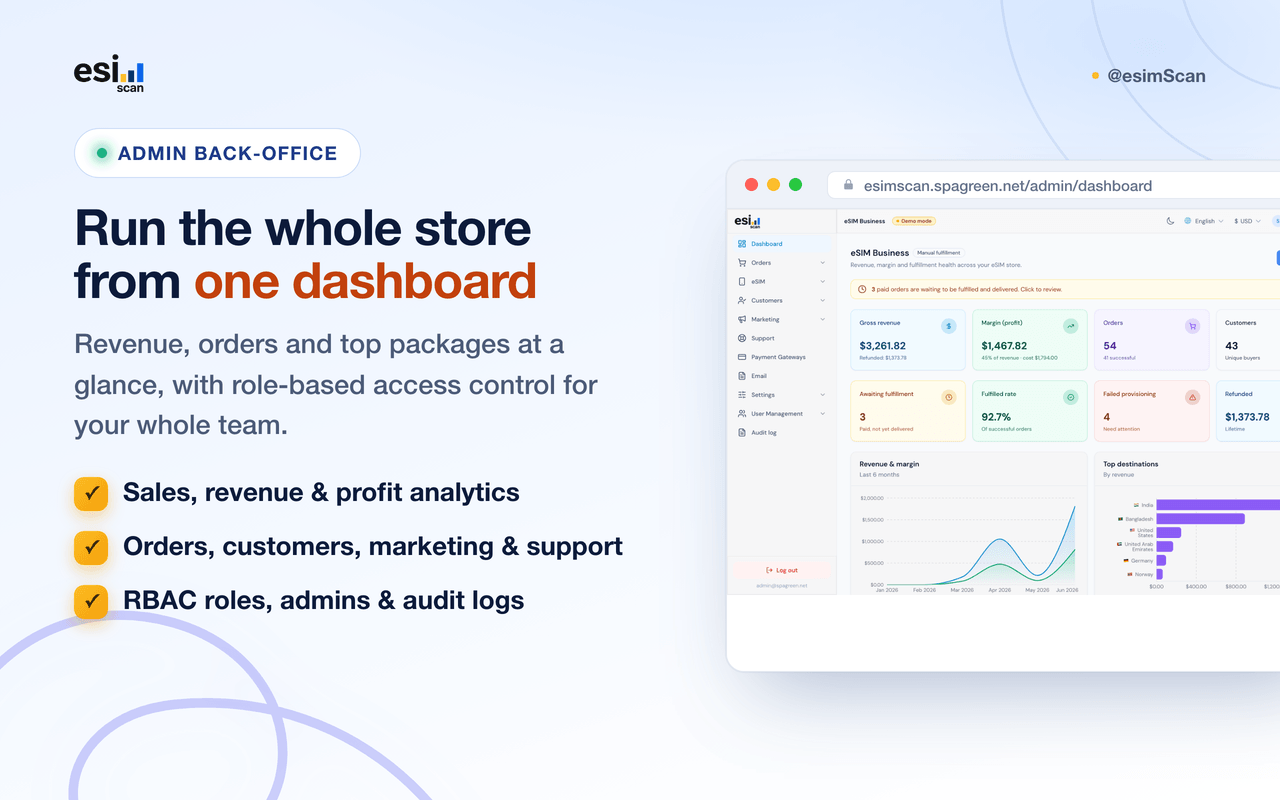
admin back-office to run everything—orders, suppliers, catalog, customers, KYC,
marketing, payments, and system settings. Connect leading eSIM suppliers
(Airalo, eSIM Access, Maya Mobile, eSIM Go), sync their catalogs, set your
margin, and fulfill orders manually, in demo mode, or live via the provider API.
Third-party costs: esimScan integrates with external services
such as eSIM suppliers (Airalo, eSIM Access, Maya Mobile,
eSIM Go), payment processors (Stripe, PayPal),
and AI providers (OpenAI,
Claude / Anthropic, or DeepSeek — you choose
which one to use). Those services bill you directly based on your usage and
pricing; those fees are not included in the purchase price. In
particular, the optional AI features cost nothing extra to buy, but each
AI request is billed to your own AI-provider account — you supply the
API key and budget. You must supply your own accounts, API keys, wholesale eSIM
credits, and budgets for any third-party APIs or payment processors you enable.
Demo
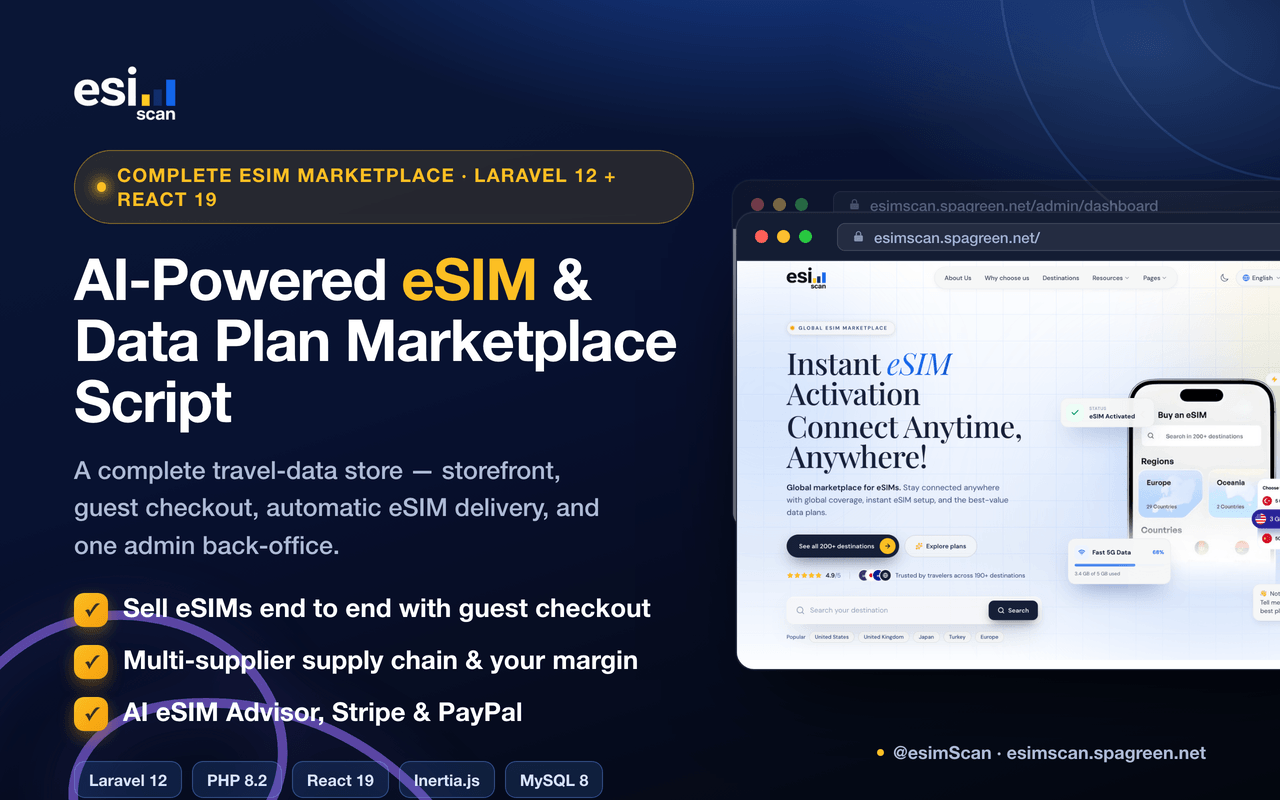
Why esimScan?
-
Sell eSIMs end to end – Public storefront with country and
region browsing, guest checkout, payment, and automatic eSIM delivery (QR +
activation) by email—no customer login required.
-
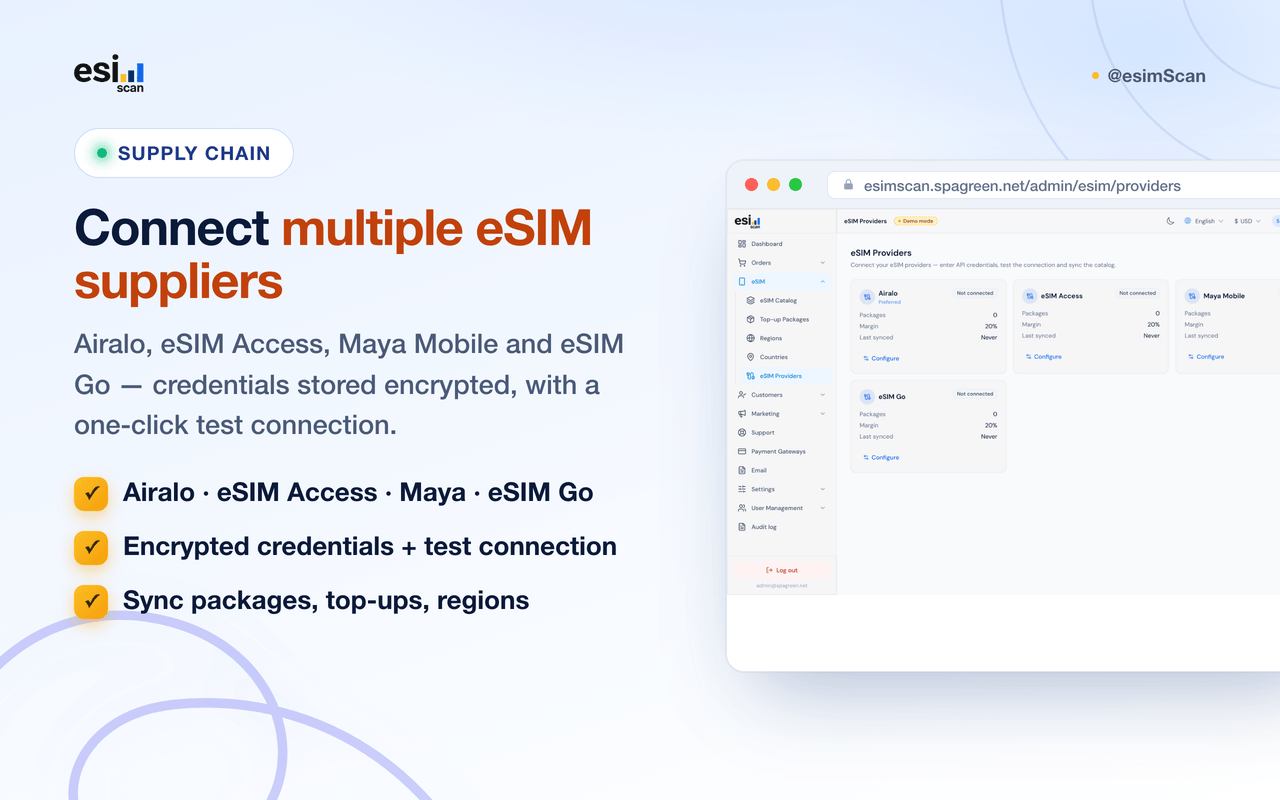
Multi-supplier supply chain – Connect Airalo, eSIM Access,
Maya Mobile, and eSIM Go; test the connection, sync packages, top-ups,
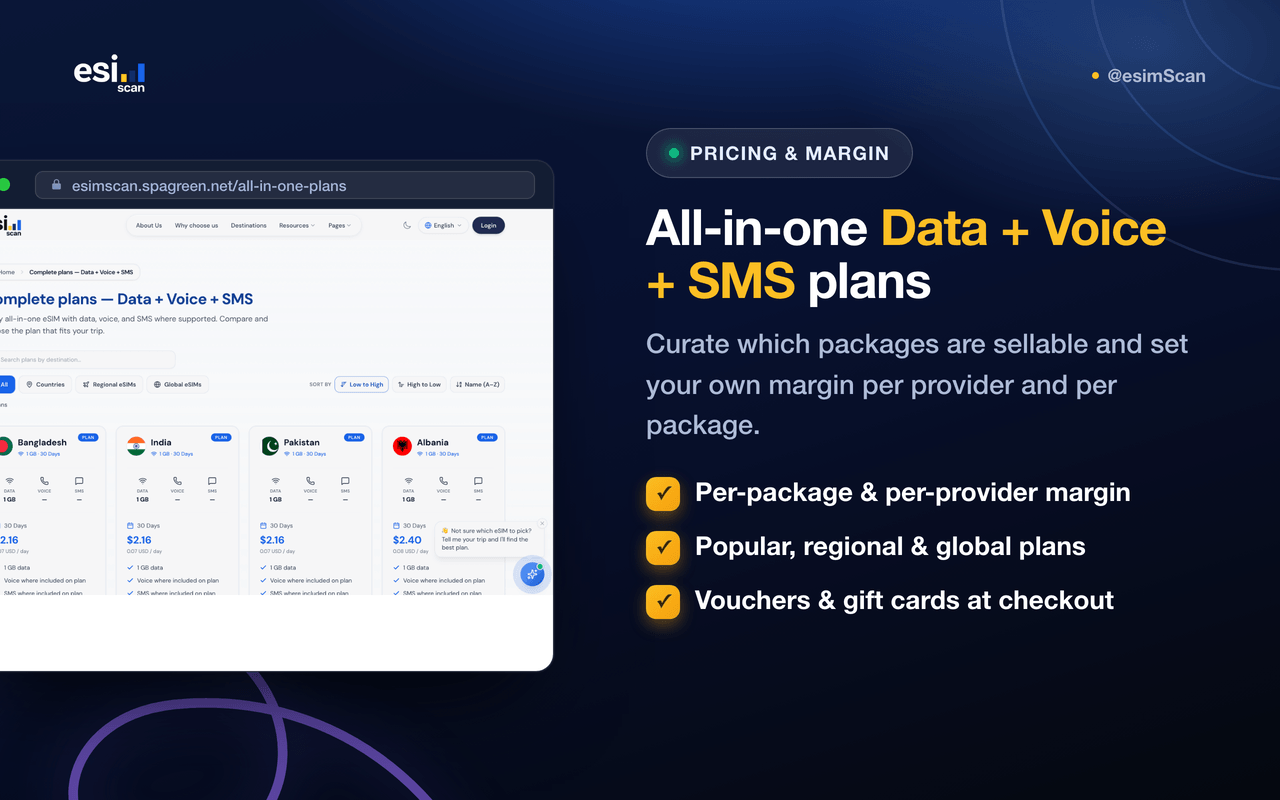
regions, and countries, and set your selling margin.
-
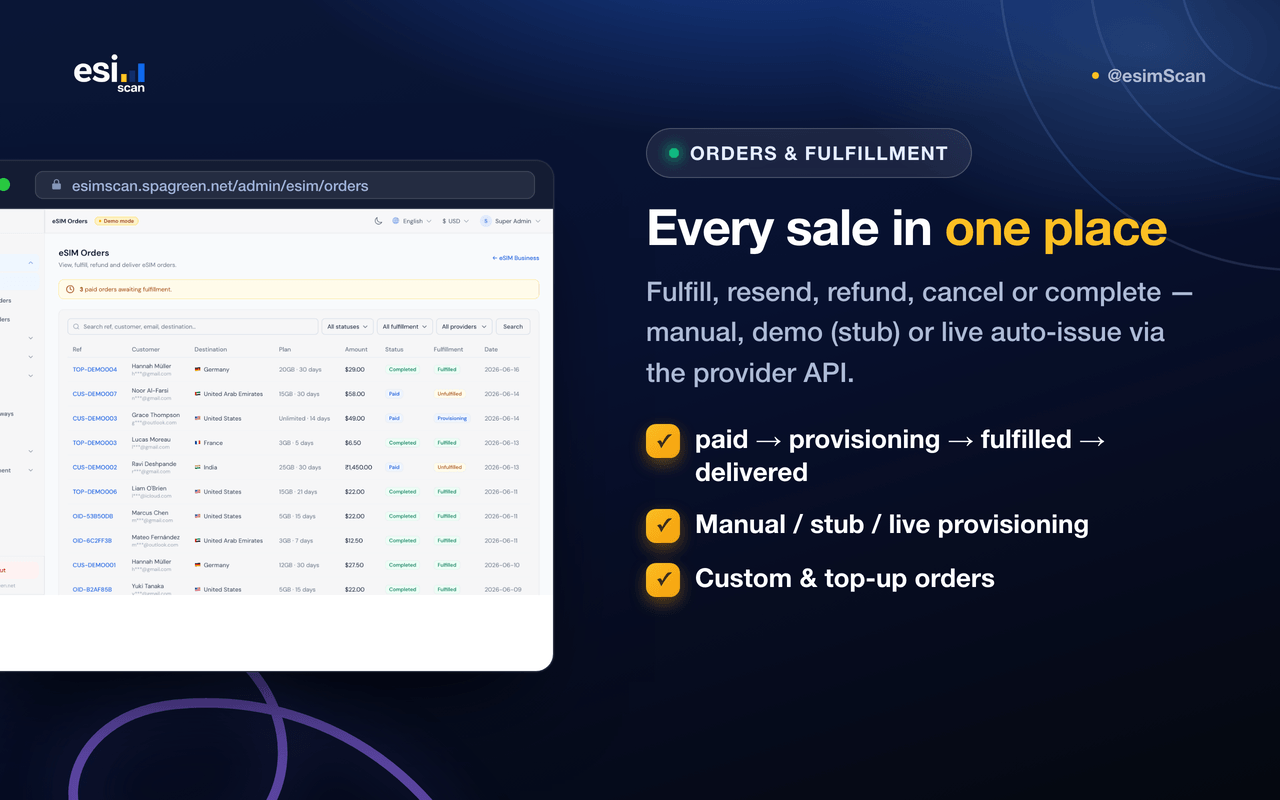
Flexible fulfillment – Choose how a paid order becomes a
delivered eSIM:
manual (staff deliver), stub
(instant demo data), or live (auto-issue via the provider API).
-
One admin back-office – Run the whole store from
/admin: dashboard, orders, custom & top-up orders,
providers, catalog, customers, KYC, marketing, support, and reporting.
-
Marketing built in – Vouchers, gift cards (single or bulk),
and a referral program—codes validated server-side at checkout.
-
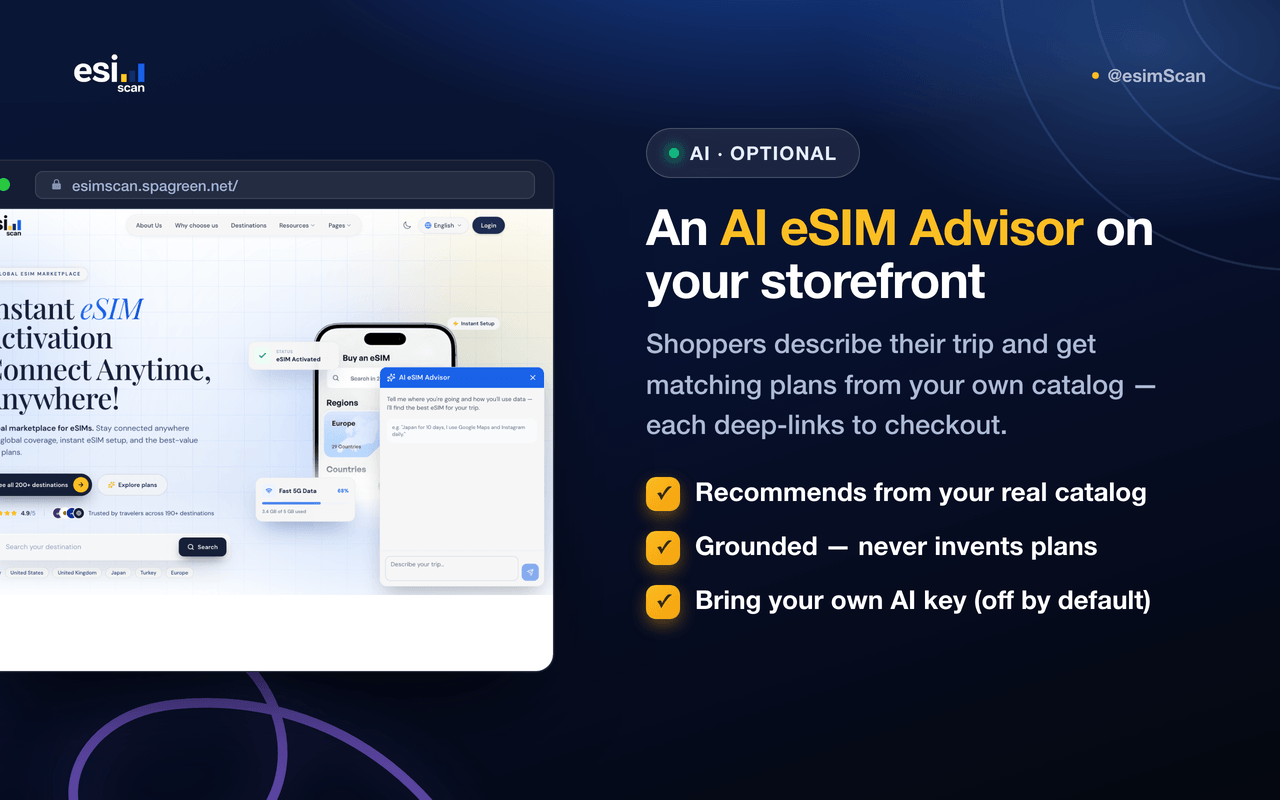
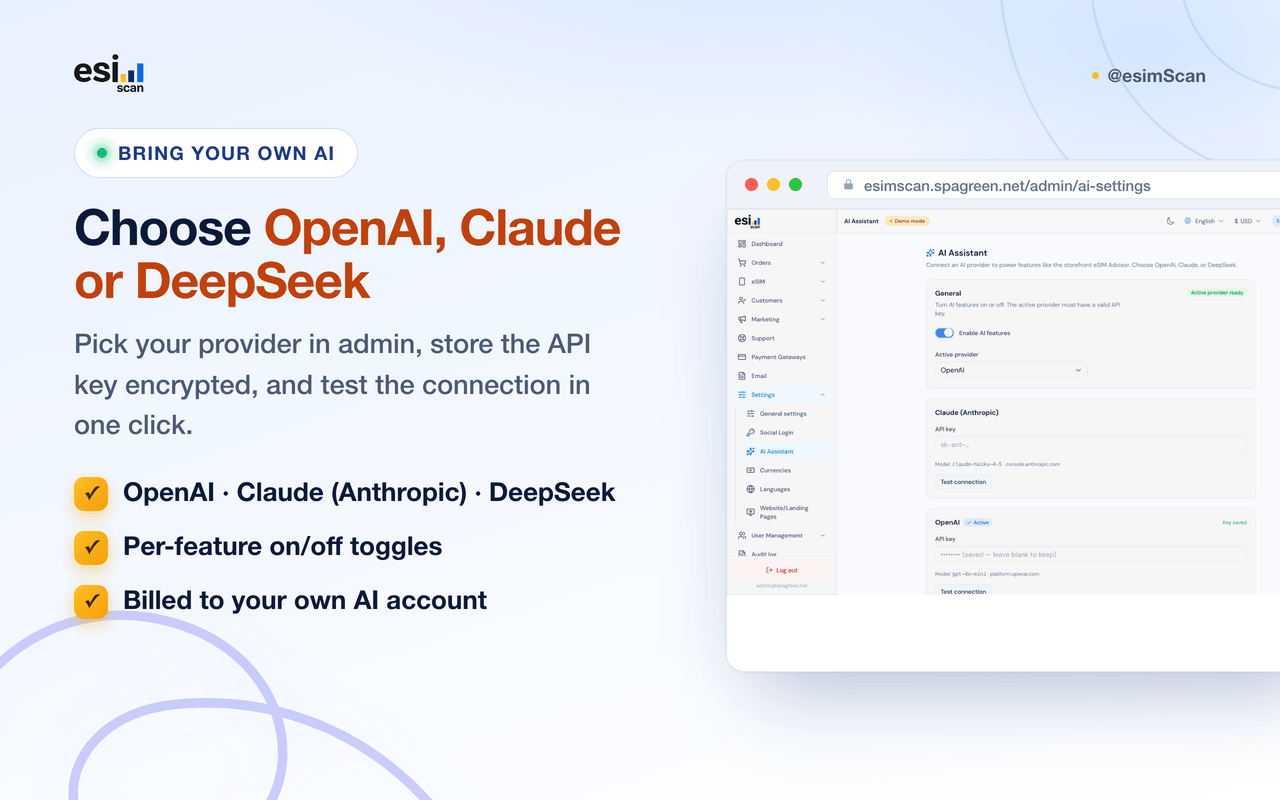
AI assistant (optional) – An AI eSIM Advisor on the
storefront recommends the right plan from your own catalog, and a “Suggest
reply” button drafts support answers for agents. Bring your own key for
OpenAI, Claude (Anthropic), or DeepSeek—pick one in admin.
-
Storefront payments – Take payment with Stripe and PayPal,
with a clean success/confirmation flow.
-
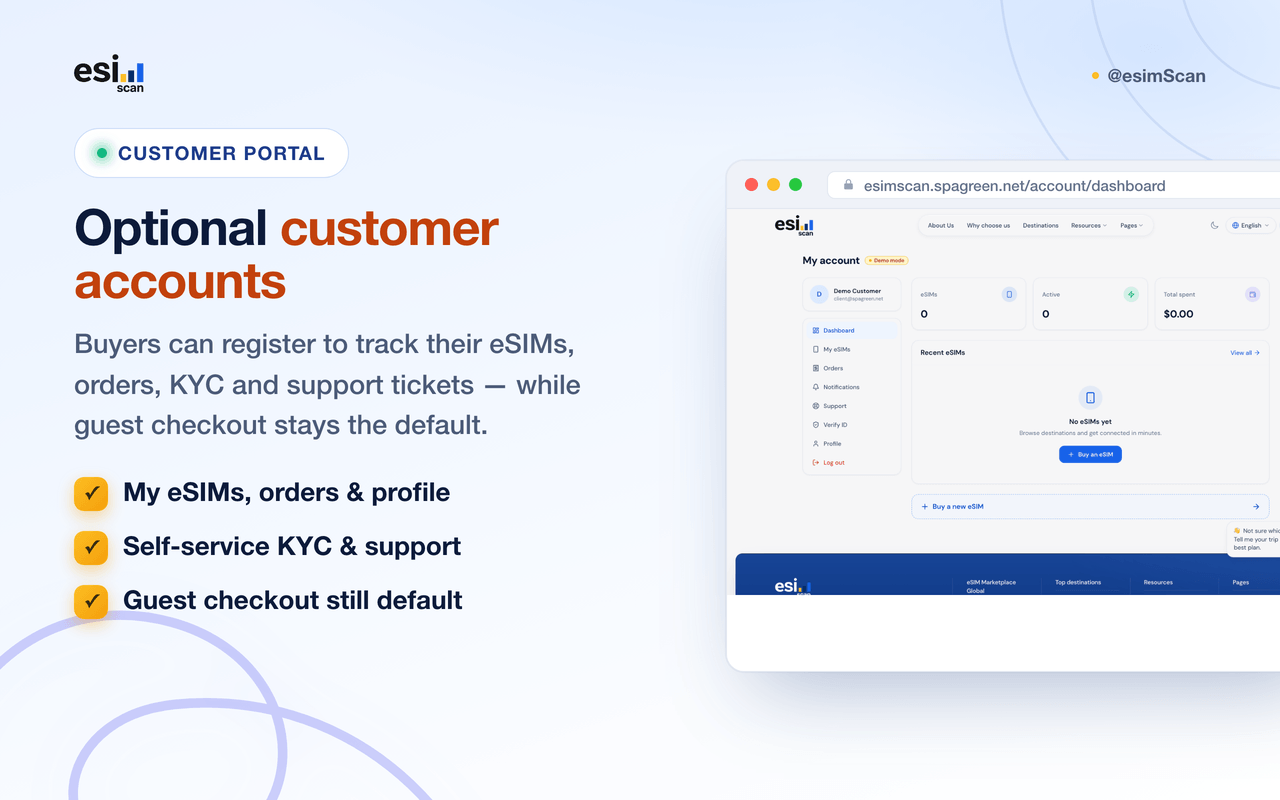
Optional customer accounts – Buyers can register to track
their eSIMs, orders, KYC, and support tickets—while guest checkout stays the
default.
-
Global by design – Multi-currency and multi-language with
full RTL support (English, Bangla, Arabic, Hindi out of the box; add more
from admin).
-
Security-minded – Role-based access control, encrypted
provider credentials, KYC documents on a private disk, audit logs, secure
headers, and an optional demo mode for safe exploration.
-
Documentation included – VuePress guides: setup, production
deployment, aaPanel, storefront/customers, admin, and eSIM provider
configuration.
Core modules & features
Storefront & checkout
- Browse eSIMs by destination, popular packages, and all-in-one plans
- Guest checkout with email + phone—no account required
- Vouchers and gift-card codes applied live at checkout
- Stripe and PayPal payment, with a success/confirmation flow
- Optional customer account: my eSIMs, orders, profile, KYC, and support
eSIM delivery & fulfillment
-
Order lifecycle: paid → provisioning → fulfilled → delivered (refund/cancel
supported)
-
eSIM emailed with a scannable QR code and manual details (SM-DP+ address +
activation code) via a signed URL
-
Three provisioning modes via
ESIM_PROVISIONING_DRIVER:
manual, stub, live
-
Auto-provision on payment and editable delivery email template
(
esim_delivery); failed live orders fall back to manual
Suppliers & catalog
-
Connect Airalo, eSIM Access, Maya Mobile, eSIM Go—credentials stored
encrypted
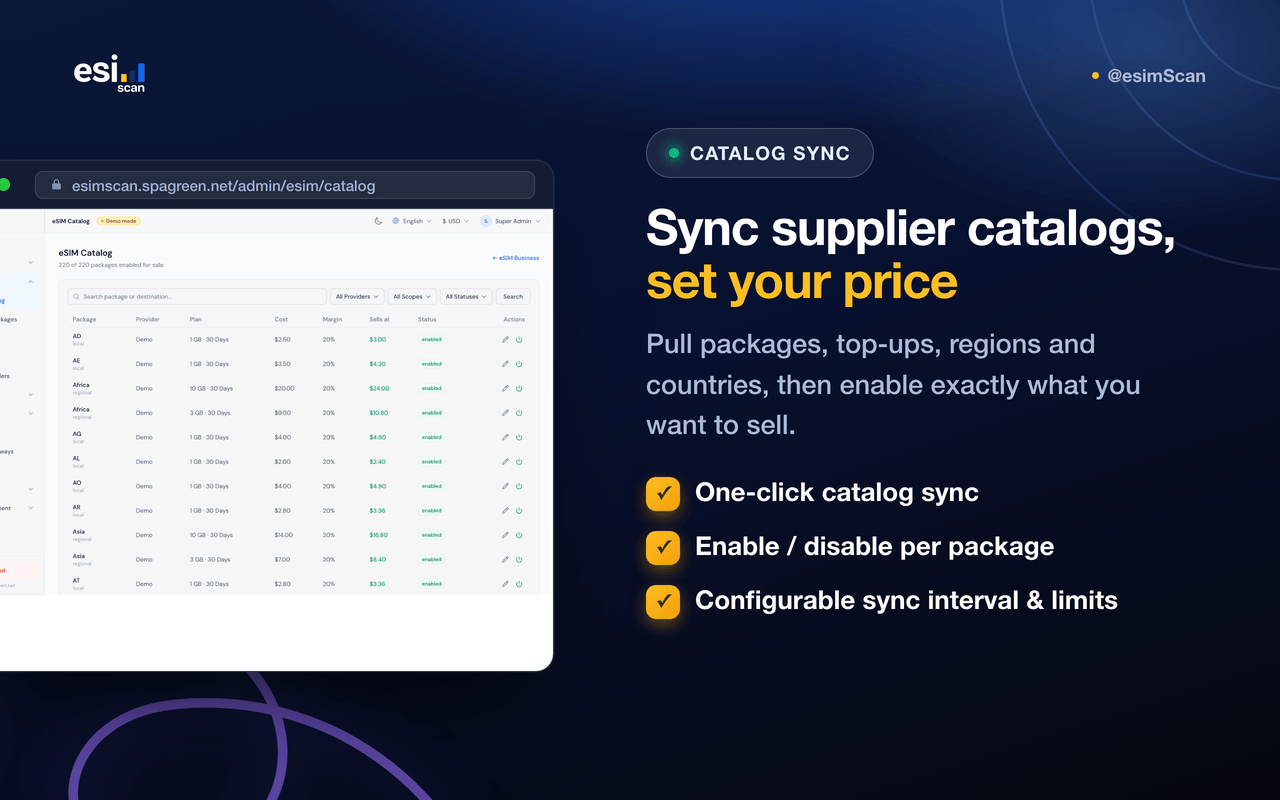
- Test connection, then sync packages, top-ups, regions, and countries
- Per-provider and per-package margin control; enable/disable packages
-
Configurable sync interval and rate limits
(
MASTER_ESIM_SYNC_MAX_SECONDS)
Orders & customers
- Every sale in one place: fulfill, resend, refund, cancel, complete
- Manually create custom orders and top-up orders
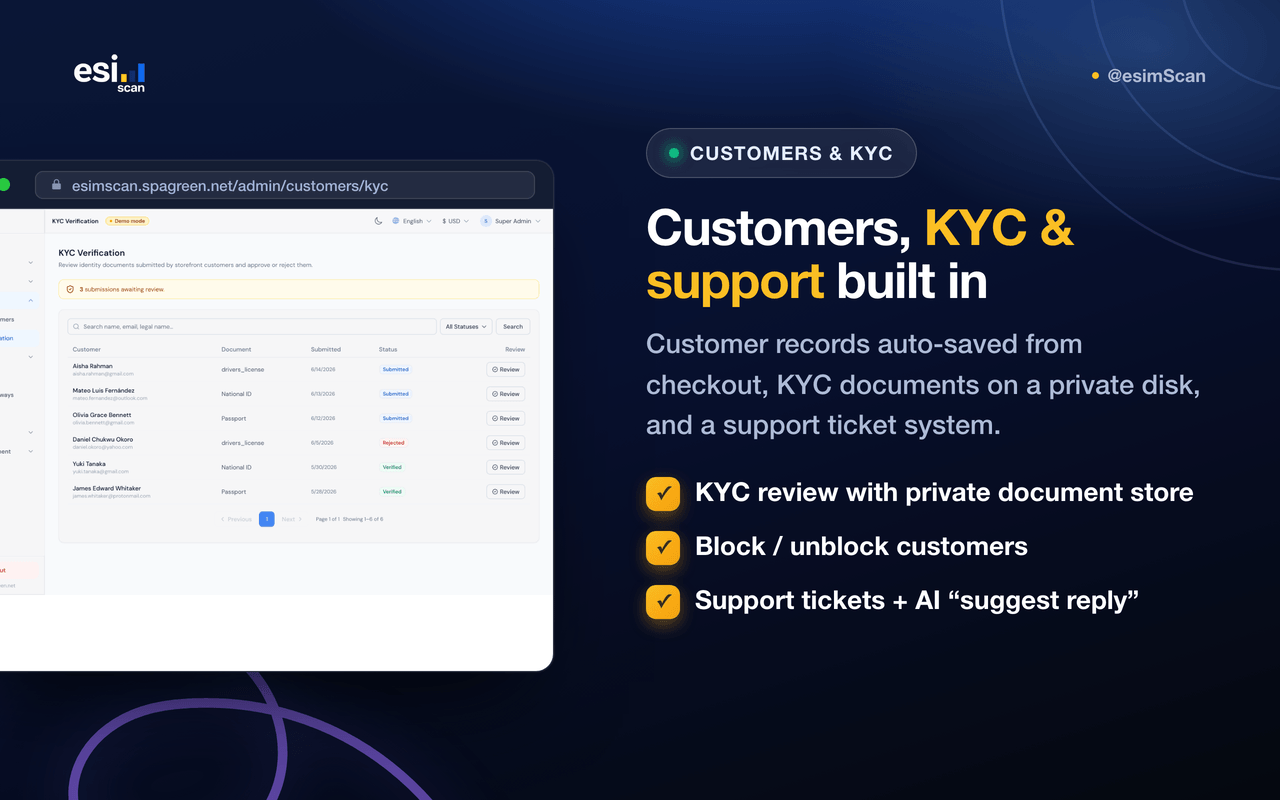
- Customer records (auto-saved from checkout); block/unblock
- KYC verification with documents streamed from a private disk
Marketing
- Discount vouchers (percentage or fixed)
- Prepaid gift cards—send individually or bulk-generate
- Referral program with reward settings and exports
AI assistant (optional)
-
Choose your AI provider in Admin → AI Settings:
OpenAI, Claude (Anthropic), or
DeepSeek—API key stored encrypted, with a one-click
“Test connection”
-
AI eSIM Advisor – A storefront widget where a shopper
describes their trip and gets matching plans from your own catalog,
each deep-linking into checkout (recommendations are grounded in your
packages, not invented)
-
Support reply drafting – A “Suggest reply” button on admin
and reseller support tickets drafts a response from the conversation and the
customer’s orders; the agent edits before sending (never auto-sends)
-
Each feature has its own on/off toggle; all AI calls use the API key and
budget from your provider account (billed by them, not included in
the purchase price)
System & settings
- Email system: multiple SMTP configurations + editable email templates
- Currencies (formats & exchange rates) and languages (i18n + RTL)
- Roles & permissions (RBAC), admin users, and audit logs
- Website templates for storefront/landing pages
- Branding, general settings, in-app notifications
- Reporting: analytics, profit/margin, reviews
- Optional demo mode (
APP_DEMO_MODE) to block writes in demos
- Single root
.env (Vite exposes VITE_* only)
- eSIM suppliers: Airalo, eSIM Access, Maya Mobile, eSIM Go
- Payments: Stripe and PayPal for storefront checkout
- SMTP for eSIM delivery, verification, password reset, and notifications
-
AI providers: OpenAI, Claude (Anthropic), DeepSeek—pick one in Admin → AI
Settings (bring your own key); Google sign-in (Firebase) for the storefront
Store-owner workflow
esimScan is built for running an eSIM-selling business from one back-office:
-
Email System – Add and activate SMTP so eSIM/QR emails can
be delivered.
-
Payment gateways – Connect Stripe/PayPal so customers can
pay at the storefront.
-
Providers – Add supplier API credentials, test, and sync
their catalog into your store.
-
Margin & catalog – Set your margin and curate which
packages are sellable.
-
Marketing – Create vouchers, gift cards, and referral
rewards.
-
AI (optional) – Add an OpenAI, Claude, or DeepSeek API key
in AI Settings, enable the eSIM Advisor and/or support reply
drafting. Billed by your AI provider; off by default.
-
Operate – Watch orders, fulfill and deliver eSIMs, handle
support, and review the dashboard and reporting.
-
Docs & hosting – VuePress documentation in
docs/; build static docs with npm run build (from
docs/) for hosting.
Tech stack
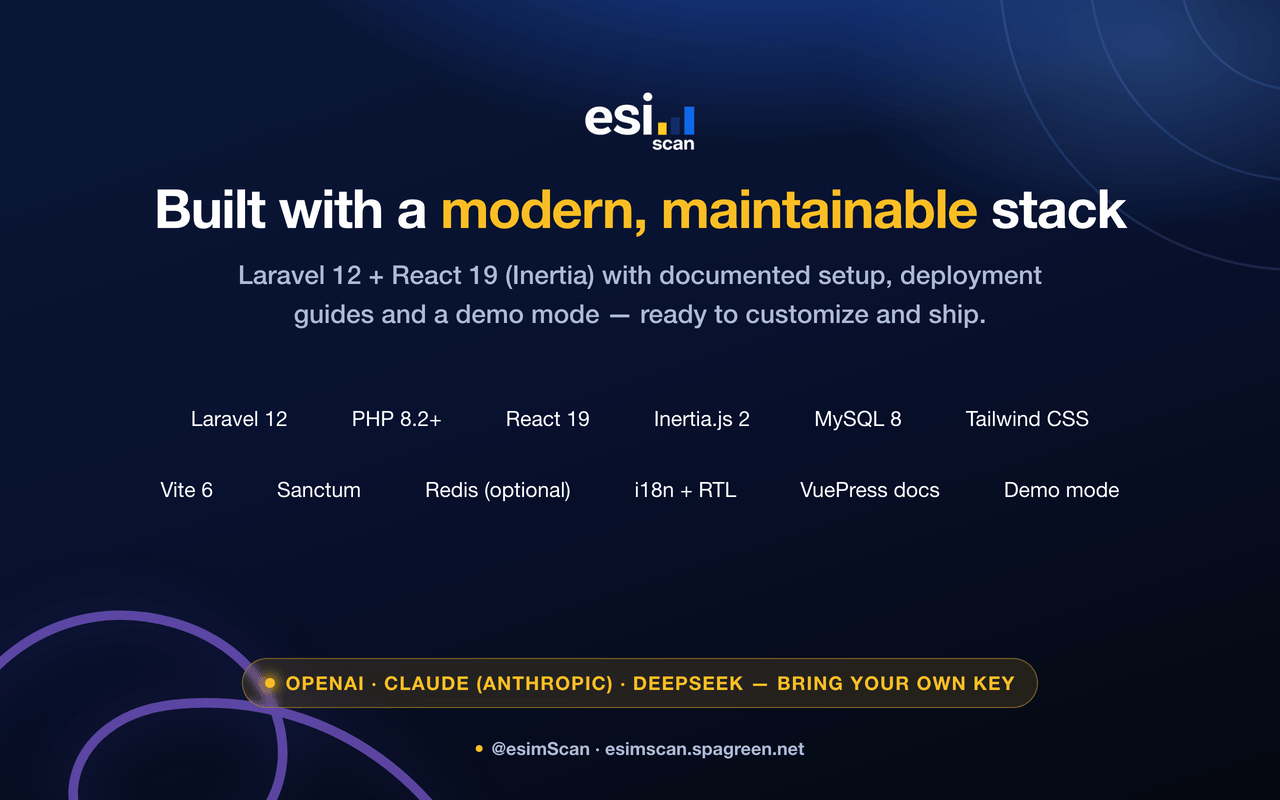
Frontend:
- React 19 with Inertia.js (SPA feel, server-driven routing)
- Vite for development and production builds
- Tailwind CSS
- i18next / react-i18next for internationalization (with RTL)
- sonner for app-wide toast notifications
Backend:
- PHP 8.2+ with Laravel 12
- MySQL 8+ (SQLite supported for local development)
- Redis optional for cache/queue (database fallback included)
- Queue worker for provisioning, emails, and catalog syncs; scheduler for periodic tasks
- Separate guards for storefront customers and the admin back-office
Documentation:
-
VuePress site under
docs/ (setup, deployment, aaPanel,
storefront/customers, admin, eSIM provider configuration)
Installation (quick overview)
Full steps are in the repository README and docs/guide/setup.md.
Summary:
-
Prerequisites – PHP 8.2+, Composer 2, Node.js 18+, MySQL 8+,
Git
-
Clone & install –
composer install and
npm install
-
Environment – Copy
.env.example to
.env; run php artisan key:generate; set
APP_URL, DB_*, MAIL_*, and
ESIM_PROVISIONING_DRIVER
-
Database – Create a MySQL database and run
php artisan migrate --seed, then
php artisan i18n:seed-defaults
-
Build & run –
npm run build (or
npm run dev), then php artisan serve; run
php artisan queue:work for background jobs
-
Production – See
README_DEPLOYMENT.md and the
aaPanel guides in docs/guide/ (PHP-FPM, queue worker,
scheduler, SSL)
Documentation index: see docs/README.md in the repository.
System requirements
- PHP 8.2 or higher (with pdo_mysql, mbstring, openssl, bcmath, curl, gd)
- MySQL 8.0 or higher (SQLite for local development)
- Composer 2 and Node.js v18 or higher
- Minimum 2GB RAM (4GB+ recommended for production)
- Modern browser (Chrome, Firefox, Safari, Edge)
-
Production: a persistent queue worker and the scheduler (cron) so eSIM
delivery, provisioning, and catalog syncs run reliably
Changelog
Version 1.0.0 – Initial release
- eSIM store & travel-data reseller (Laravel 12 + Inertia/React)
-
Public storefront with guest checkout, Stripe/PayPal, and automatic eSIM
delivery (QR + activation) by email
-
Multi-supplier integration (Airalo, eSIM Access, Maya Mobile, eSIM Go) with
catalog sync, margins, and manual/stub/live fulfillment
-
Admin back-office: orders, providers, catalog, marketing, customers, KYC,
reporting, email, currencies, languages, and RBAC
- Multi-currency, multi-language with RTL, audit logs, and demo mode
-
Optional AI assistant: storefront eSIM Advisor and support reply drafting,
powered by your choice of OpenAI, Claude (Anthropic), or DeepSeek
- VuePress documentation for setup, deployment, and configuration
Support & notes
Documentation first – Read the guides in the
docs/ folder (or your hosted docs site): setup, storefront &
customers, admin, and eSIM provider configuration.
Support – For technical issues, use your marketplace or
repository support channel. Include error messages, steps to reproduce,
PHP/MySQL versions, and relevant .env variable names (not secret
values).
Important notes:
-
Keep
APP_KEY stable—provider API credentials are stored
encrypted with it; changing it makes saved credentials unreadable.
-
eSIM delivery emails require an active SMTP configuration (Admin → Email
System) and a running queue worker.
-
Live auto-issuing requires valid eSIM provider credentials and wholesale
credit/balance with that provider.
-
Scheduled tasks and background jobs require the queue worker and scheduler to
run continuously in production.
-
Description images are in
codecanyon/description/. Upload them to
your own server/CDN and replace the relative src paths in this
file with the hosted https URLs before publishing (CodeCanyon does not host
description images). Upload codecanyon/thumbnail.png (80×80) and
codecanyon/inline-preview.png (590px) in Envato’s item uploader.